
How is a trust notarized?
A trust — most commonly a revocable living trust — is created by a grantor (also called a settlor or trustor) who moves assets into it. When the grantor signs the trust document, the signature is notarized with an acknowledgment: the grantor personally appears before a notary, acknowledges signing, and the notary verifies their identity from satisfactory evidence of identity such as a current driver’s license or passport. In California, Civil Code § 1189 spells out exactly what the notary certifies on the acknowledgment certificate: that the signer personally appeared on the stated date in the stated county, that the notary established the signer’s identity, and that the signer acknowledged executing the document.
An acknowledgment does not require the grantor to swear an oath — that’s a jurat, used on affidavits, where the signer swears the contents are true and signs in front of the notary. A trust almost always uses the acknowledgment; if you’re unsure which certificate a document calls for, our jurat vs. acknowledgment guide walks through the difference.
Taking an acknowledgment is one of the core notarial acts defined by the Revised Uniform Law on Notarial Acts (RULONA), the model law most states follow. The Uniform Law Commission describes RULONA as governing “actions by a notary public, including taking an acknowledgment, administering an oath or affirmation, witnessing or attesting a signature, and certifying a copy of a document.” That single detail — acknowledgment, not witnessed oath — is why a trust is procedurally simpler to notarize than a will, and why it travels more easily online.
Does a trust have to be notarized?
In most states a trust is legally valid once it is properly drafted and signed by the grantor; notarization is not always a strict statutory requirement for the trust to exist. California makes the point plainly: Probate Code § 15200 lists five methods of creating a trust — a declaration by the property owner, a lifetime transfer to a trustee, a transfer at death, an exercise of a power of appointment, or an enforceable promise — and a notary appears nowhere on that list. Even for real estate, Probate Code § 15206 requires only that a trust “in relation to real property” be evidenced by a written instrument signed by the trustee or settlor; it demands writing, not a seal. Other states set their own execution rules, so check yours — but the pattern is common.
Validity and acceptance are two different questions, though. The banks, brokerages, title companies, and county recorders that have to act on the trust routinely expect a notarized signature before they will move money or transfer property — so a trust is notarized as standard practice even where the law doesn’t demand it. An unnotarized trust also gives a challenger an easier opening: without a notary’s certificate verifying who signed, disputes about the signature’s authenticity are harder to shut down. Notarization is cheap insurance on a document your family may rely on for decades.
Some states or institutions also want witnesses in addition to the notary. Because those requirements are set by state law and by individual institutions, the safe rule is to confirm what your state and the specific bank or title company require before you sign.
What makes a trust valid in the first place?
The elements that actually make a trust valid have nothing to do with the notary. Using California as the worked example, Probate Code §§ 15201–15205 set out the substance:
- Intention — “A trust is created only if the settlor properly manifests an intention to create a trust” (§ 15201). The document has to show the grantor meant to create a trust, not merely a wish list.
- Trust property — “A trust is created only if there is trust property” (§ 15202). An unfunded trust is an empty shell; the deed, account retitling, and assignment paperwork are what put assets inside it.
- Lawful purpose — a trust “may be created for any purpose that is not illegal or against public policy” (§ 15203).
- An ascertainable beneficiary — a non-charitable trust needs identifiable beneficiaries, or a mechanism for selecting them (§ 15205).
Notice what the notary contributes to that list: nothing. The acknowledgment proves who signed; the statutes above decide whether what they signed is a trust. That division of labor explains both halves of this article’s core answer — a trust can be valid without a notary, and a notarized document can still fail as a trust if it lacks intention, property, or a beneficiary. It’s also why the funding step — the deed into the trust, the account paperwork — matters as much as the signing ceremony itself.
Which trust documents actually get notarized?
“Notarizing a trust” is rarely one signature. A funded trust usually generates several documents, and they don’t all get the same treatment. The trust package typically includes the items below:
| Document | Notarial act | Why it’s notarized | Online-eligible? |
|---|---|---|---|
| Trust agreement / declaration of trust | Acknowledgment | Institutions expect the grantor’s signature verified | Often, where RON is authorized |
| Certification of trust | Acknowledgment | In California it must be an “acknowledged declaration” by statute | Often, where RON is authorized |
| Deed transferring real estate into the trust | Acknowledgment | Must be notarized and recorded with the county to fund the trust | Depends on state + county recorder acceptance |
| Trust amendment or restatement | Acknowledgment | Institutions expect the change verified the same way as the original | Often, where RON is authorized |
| Trustee acceptance, resignation, or appointment | Acknowledgment | Makes a change of trustee provable to third parties | Often, where RON is authorized |
| Pour-over will (accompanies many trusts) | Witnessed execution, not an acknowledgment | Wills follow probate execution rules, not notary rules | Rarely — see the will comparison below |
The certification of trust deserves special attention, because it’s the document most banks actually ask for. It summarizes the trust — existence, date, trustee identity, trustee powers, revocability — without exposing the dispositive terms. In California it is not merely customarily notarized: Probate Code § 18100.5 requires it to be “in the form of an acknowledged declaration signed by all currently acting trustees,” and it protects third parties who rely on it — a person who acts in reliance on a certification “without actual knowledge that the representations contained therein are incorrect is not liable to any person.” That statutory reliance shield is exactly why banks prefer the certification over reading the whole trust.
The deed is the piece that most often forces an in-person or county-specific step: transferring your house into the trust means recording a notarized deed with the county, and recording rules are local. Our guide to notarizing a deed covers what recorders look for.
Does notarization differ for revocable vs. irrevocable trusts?
The notarial act does not change with the trust type. Whether the trust is revocable or irrevocable, the notary performs the same acknowledgment: verify identity, confirm the signer acknowledges signing, complete the certificate. What changes is who signs and how much is riding on the signature. An irrevocable trust is, by design, difficult to unwind, and it often involves more parties — a separate trustee, sometimes co-trustees whose signatures each need their own acknowledgment. Institutions tend to scrutinize irrevocable-trust paperwork more closely for the same reason. The mechanics at the notary’s desk (or on the video call) are identical; the stakes and the signer list are what grow.
Trust vs. will: why a trust is more RON-friendly
This is the contrast that trips people up, and it’s why someone who can’t notarize a will online often can notarize a trust:
| Trust | Will | |
|---|---|---|
| Usual notarial act | Acknowledgment | Governed by probate execution rules |
| Witnesses | Sometimes (state/institution) | Usually required, often physically present |
| Remote (online) execution | Often available where RON is authorized | Only in a minority of “electronic will” states |
| If executed wrong | Institutions may refuse to act on it | Can fail probate entirely |
A will has to survive probate, so most states impose witnessed-execution rules that are hard to satisfy over video. A trust generally needs only an acknowledged signature. For the will side of this, see our guide on whether you can notarize a will online, and the related question of how a living will is notarized — a living will is a healthcare directive, not a property document, and follows its own execution rules.
Can you notarize a trust online?
In states that authorize remote online notarization, a trust document can be notarized over live video — the grantor appears on live video, is identity-verified, and acknowledges signing, exactly as they would at a desk. Remote online notarization has become mainstream for real-estate-linked paperwork: the Mortgage Bankers Association reports that 45 states and the District of Columbia have enacted RON laws for real estate transactions.
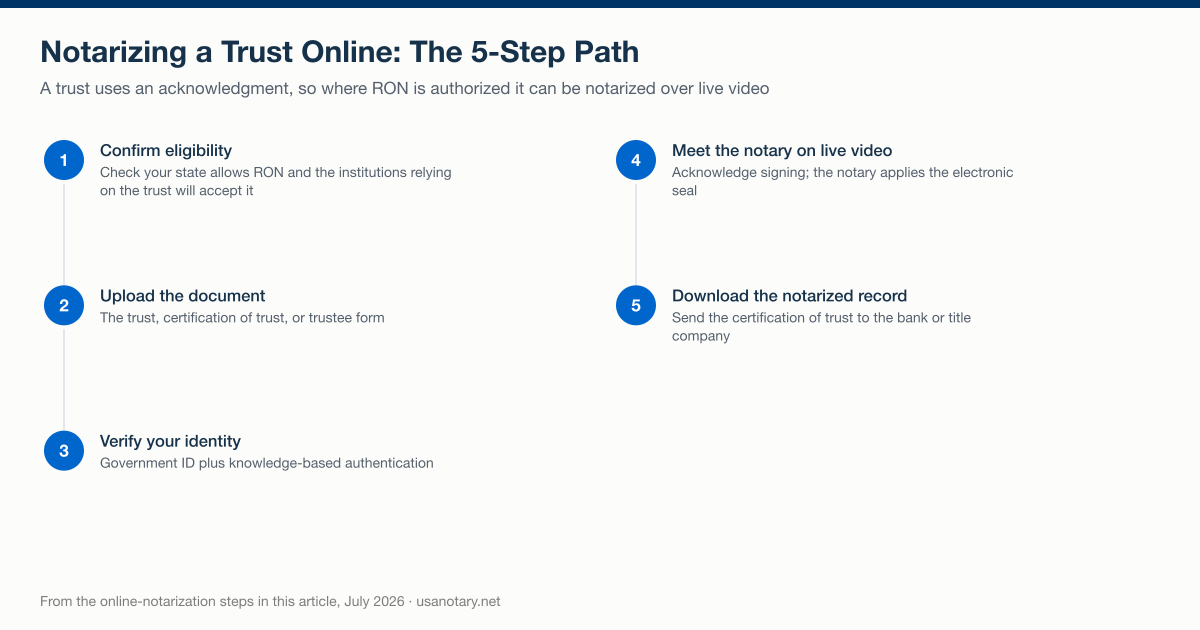
The five steps for notarizing a trust online, as described in this guide, July 2026.
The legal backbone is federal and settled. Under the ESIGN Act, a record “may not be denied legal effect, validity, or enforceability solely because it is in electronic form” — and less quoted but just as important, § 7001(g) says that where a law requires a record to be “notarized, acknowledged, verified, or made under oath, that requirement is satisfied” when the authorized officer’s electronic signature and required information are attached to or logically associated with the record. Federal law, in other words, expressly contemplates electronic notarization.
Three cautions keep this honest:
- Commissioning law is per-state. RON is legally valid in all 50 states for the consumer service — you can be a signer anywhere — but not every state commissions its own RON notaries, and a few still treat personal appearance as strictly physical. California’s Secretary of State is explicit: “a video image or other form of non-physical representation is not a personal appearance in front of a notary public under California State law.” California’s own Online Notarization Act (SB 696) becomes operative when the Secretary of State certifies its supporting technology project or on January 1, 2030, whichever is earlier (unless the Secretary of State notifies the Legislature and Governor in writing by January 1, 2029 that the project will not be completed) — until then, a California-commissioned notary cannot perform RON, though a California signer can appear before an online notary commissioned in a RON state.
- There is no federal RON statute yet. The SECURE Notarization Act (H.R.1777) has been introduced but not enacted, so the operative rules are still your state’s.
- Acceptance is institutional. The bank or title company relying on the trust decides what it will accept — check whether your bank accepts online notarization before the session, not after.
To notarize a trust online, the general path is:
- Confirm eligibility — check that your state allows RON for your document and that the institutions relying on the trust will accept a remotely notarized version.
- Upload the document — the trust, certification of trust, or trustee form.
- Verify your identity — government ID plus knowledge-based authentication.
- Meet the notary on live video — you appear on live video and acknowledge signing; the notary applies the electronic seal.
- Download the notarized record — and send the certification of trust to the bank or title company.
See exactly how the online process works, or get a trust document notarized online when you’re ready. Because a trust is meant to be relied on for years, confirming institutional acceptance up front is worth the five minutes.
How much does it cost to notarize a trust?
In-person notary fees are capped by each state. California’s cap, set by Government Code § 8211, is $15 per signature for an acknowledgment — and since a trust package usually carries several signatures across several documents, those per-signature fees add up, before counting any travel fee a mobile notary charges on top.
Online notarization on USA Notary costs $25 per document. The unit matters: a trust signing that covers the trust agreement, a certification of trust, and a deed is three documents, so the fee applies to each. That is still typically simpler than coordinating a mobile notary visit for a multi-signer package — and for a homebound grantor or an out-of-state trustee, it may be the only practical option. Compare what your situation needs:
| Option | Fee basis | Best for |
|---|---|---|
| Walk-in notary (bank, shipping store) | State-capped, per signature | One or two simple signatures, local signers |
| Mobile notary | State-capped fee + travel charge | Multi-signer ceremonies at one table |
| Online notarization (RON) | $25 per document on USA Notary | Distant or homebound signers, fast turnaround |
What should you bring to a trust notarization?
Trust signings fail for mundane reasons — a missing ID, an absent co-trustee, blank schedule pages. A notary is legally barred from papering over any of those: under California Government Code § 8205, “a notary public may not notarize a document that is incomplete.” Whether the appointment is at a desk or on live video, arrive with:
- The complete trust document — every page, schedules and exhibits included, with no blanks left to “fill in later.” An incomplete document must be refused.
- Current government-issued photo ID for every signer. California Civil Code § 1185(b) accepts, among others, a state driver’s license or ID card, a U.S. passport, a foreign passport or consular ID, an out-of-state driver’s license, and a military or tribal ID — generally current or issued within the last five years.
- Every person whose signature gets acknowledged, personally present. Grantor, co-grantor spouse, trustees accepting appointment — an acknowledgment cannot be taken from someone who isn’t there. (For an online session, “present” means each signer appears on live video.)
- A credible witness, if a signer lacks ID. California lets a notary identify a signer through the oath of a credible witness the notary personally knows, or two credible witnesses with their own IDs — a practical fallback for an elderly grantor whose license has expired. If the concern is the signer’s mental capacity rather than their ID, our guide to signing capacity and dementia addresses that separate question.
- Payment and any institution-specific forms — the bank’s own trust certification form, if it insists on its own template.
Online sessions replace item 2’s physical ID check with credential analysis plus knowledge-based authentication, and compress the rest into a browser tab — but the completeness rule and the personal-appearance rule still apply in full.
Can a trust be notarized after it’s already signed?
Often, yes — and this is another consequence of the acknowledgment. Under California Civil Code § 1189, the acknowledgment certificate certifies that the signer personally appeared, was identified, and acknowledged executing the document — it does not certify that the signature happened in the notary’s presence. So a grantor who signed the trust last week can appear before a notary today, acknowledge the signature as their own, and receive a valid acknowledgment. Two limits apply: the grantor must still personally appear (in person, or on live video where RON is authorized), and the rule is different for a jurat, where the signer swears the contents are true and signs in front of the notary. What a notary can never do is backdate: the certificate carries the date the acknowledgment was actually taken.
The one thing notarization doesn’t do
A notary verifies who signed — not whether the trust is well-drafted or right for your goals. Building a trust that actually does what you want, funds the right assets, and holds up when it’s needed is estate-planning work, and it’s easy to get wrong. Use online notarization to execute the signature correctly, and have the trust itself prepared or reviewed by an estate-planning attorney. This page is general information, not legal advice.